A website redesign is supposed to be a growth milestone, not a revenue crisis.
Yet every year, our team sees businesses launch beautiful new websites and watch their organic traffic collapse within weeks.
The risks are real, well-documented and almost entirely preventable if you know where to look.
This guide breaks down the ten most common website rebuild SEO risks, explains exactly how each one damages your search rankings and shows you how to protect your organic traffic before, during and after launch.
Why Most Website Redesigns Tank Organic Traffic
Earlier this year, an established Australian professional services firm lost 62% of its organic sessions within three weeks of launching a redesigned site.
The new website looked sharper. The content and photography were polished. The navigation felt modern. But the leads dried up almost overnight.
This story plays out constantly because stakeholders assume that a visually impressive new website will automatically perform better on Google than the current site. That assumption is dangerously wrong.
Google evaluates continuity. Your URL structure, internal link structure, content depth, structured data and technical setup provide a level of historical trust for your old site.
When a rebuild changes those elements without strategic mapping, search engines see the new site as an entirely different entity that is often missing pages, containing broken links and providing a slower page speed.
The fix is straightforward in concept: use a separate website SEO migration process from the start of your redesign project, not a last-week cleanup.
A dedicated process that runs in parallel with design and development means that every decision about navigation, templates and content is informed by real performance data.

Risk 1: Missing 301 Redirects
Imagine your old site has a well-ranked service page at /services/plumbing/ and the redesigned site moves its URL to /plumbing-services/ without a redirect.
Every backlink, every directory citation, every email marketing campaign pointing to that old URL now hits a 404 error. Years of SEO authority evaporate overnight.
A 301 redirect is a permanent URL redirection method that tells search engines and browsers where the page has moved.
301 redirects pass link equity from old URLs to new ones, preserving the site’s authority you spent years building.
Not using them leads directly to 404 errors and significant ranking drops.
Losing backlinks through careless URL changes is one of the most expensive mistakes a business can make to their SEO efforts.
Common 301 redirect mistakes include:
- Bulk redirecting old URLs to the homepage (Google treats this as a soft 404)
- Creating redirect chains where URL A points to B, which points to C (redirect chains can reduce link equity)
- Missing redirects for blog posts, PDF files, and campaign landing pages
The Fix: Create a comprehensive redirect map using a full crawl of the new and old websites to cover all of their URLs, this is essential for an effective SEO migration.
It should pair every old URL with its new destination and redirect type, completed before a single line of code is deployed.
301 redirects are also essential to preserve link equity during a domain change. Google’s own site moves documentation outlines this process in detail.

Risk 2: Removing High-Value Content
Design-led rebuilds often cut an SEO-optimised service page with thousands of words down to a few marketing sentences beneath a hero banner because “nobody reads”.
This is one of the fastest ways to kill search rankings.
Long-form, well-structured existing content gives Google the topical depth it needs to rank service pages for commercially valuable keywords.
Replacing content changes what queries a page is relevant for, directly affecting rankings.
Removing high-performing landing pages entirely will not only lose those rankings but eliminate additional signals that search engines use for topical relevance.
The solutions are design-friendly:
- Use accordions and tabs to keep pages visually clean while retaining keyword-rich content
- Add “Read More” sections for detailed case studies and FAQs
- Audit top performing pages on the old site and mark content that must be retained or expanded
You should retain high-performing content to avoid losing SEO traffic during a redesign. Smart UI design lets you have clean design and effective SEO on the same page.

Risk 3: Losing eCommerce Data & Schema Markup
Replatforming an online store, whether moving from WooCommerce to Shopify or from a custom platform to a modern CMS, creates specific risks around product data and structured data.
Product reviews, Q&A sections and price/availability schema generate rich results in search engines that include the gold review stars you commonly see on Google that significantly increase organic click-through rate.
When you add structured data to your website correctly, it enhances how search results display your pages.
Losing or significantly changing that markup during a migration means your listings revert to plain text, and competitors with stars and pricing steal your clicks.
eCommerce migration risks include:
- Losing historical product reviews that took years to accumulate
- Rebuilding product pages with new URLs but no redirects
- Removing schema markup from the new theme or template
Best Practices: Preserve product data where possible, export and import reviews via a database migration, and re-implement product, breadcrumb and organisation schema on the new site.
Validate all structured data using Google’s Rich Results Test before launch.
If you require support, White Peak Digital’s SEO migration services include a schema audit on the current site and validation of all markup on the new site.
Risk 4: Destroyed Core Web Vitals
Adding elements like a full-screen autoplay video or complex animations for user impact without considering performance can severely impact SEO.
Google’s Core Web Vitals play a significant role in user experience and SEO rankings. It measures loading performance (LCP), visual stability (CLS) and interactivity (INP).
Large unoptimised images can slow down page load times, negatively impacting user experience.
Auto-playing video, third-party scripts and elaborate animations hurt all three metrics (particularly on mobile devices).
After a rebuild, poor Core Web Vitals can trigger ranking drops across the entire new website, even if content and URLs remain intact.
The data-driven approach:
- Use heatmaps, scroll maps and conversion data from the current site to challenge vanity features
- Set a performance target (e.g. LCP under 2.5 seconds, CLS below 0.1)
- Run mandatory Lighthouse and PageSpeed Insights checks during staging to confirm the rebuild is objectively faster than the current site

Risk 5: Breaking Your Internal Link Architecture
Changing navigation, removing category pages or consolidating blog sections can silently break hundreds of internal links inside old content.
Every broken internal link is a dead end for both users and search engine crawlers.
Internal link equity matters because anchor text and linking patterns help Google understand which are your important pages and how topics cluster together.
Common internal link mistakes include:
- Orphaning key service pages in the new site by removing them from navigation
- Deleting hub category pages that distributed link equity across a topic cluster
- Leaving old blog posts pointing to URLs that no longer exist, creating broken internal links
Not fixing broken internal links wastes crawl budget because search engines spend time on dead ends instead of indexing your new pages.
The Fix: Use SEO tools like Screaming Frog to crawl your current site, export the internal linking data and rebuild a deliberate internal linking strategy for the new information architecture.
Update all in-content links to target the new URL destinations, prioritising high-traffic articles first.
Risk 6: NoIndex Tags Accidentally Going Live
During development, teams correctly build the new website on a staging site and apply noindex directives or blocks in the robots.txt file to stop it appearing on Google.
This is standard practice on any staging environment.
The mistake is simple but devastating: the staging configuration is copied to production and the new, live website still contains the sitewide noindex or disallow directive.
Mistakes like leaving noindex tags on can prevent search engines from indexing important pages and misconfiguring robots.txt files can block search engines from properly crawling a site entirely.
Within days pages will begin dropping from search results and organic search traffic collapses.
Recovery can take weeks even after the tag is fixed because search engines need time to re-crawl and reprocess a site after a redesign.
The Solution: A documented website launch checklist that explicitly includes checks for noindex tags, canonical tags, and robots.txt in both staging and live environments.
Risk 7: Ignoring Baseline Data From Your Current Site
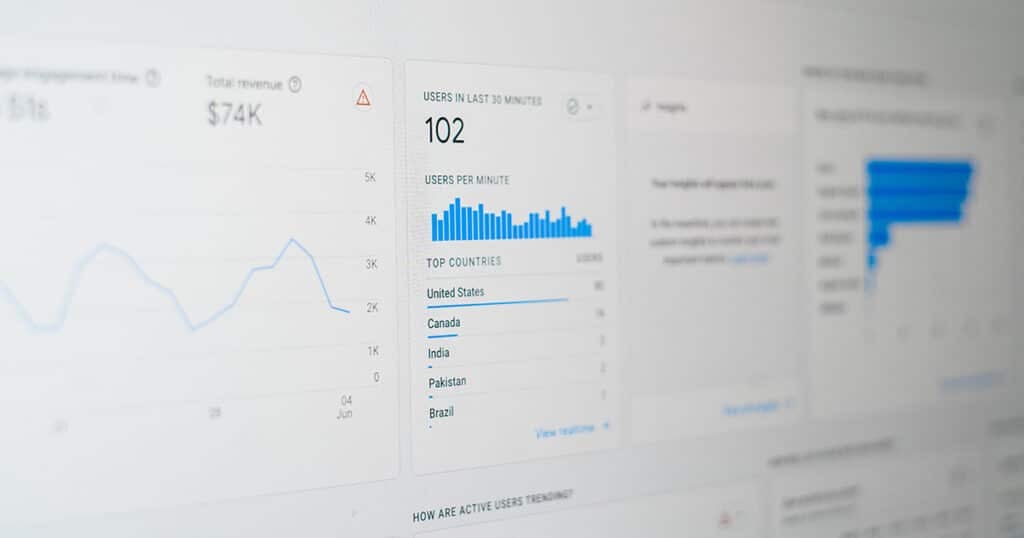
Many teams dive into designing a new website without first extracting data from the current site.
Not establishing SEO performance benchmarks before redesigning your website can lead to preventable losses because you cannot distinguish between a normal drop and a serious migration error.
Establish SEO performance benchmarks before redesigning your site by:
- Logging organic traffic by page in Google Analytics (GA4)
- Recording keyword rankings and click data in Google Search Console
- Running a full crawl to document all the URLs, site structure and internal link patterns
- Note Core Web Vital scores for key pages
Conduct a full SEO audit to identify issues on the current site before any design work starts. Technical SEO audits can identify potential crawlability and indexation issues before a site launch.
Identify high-performing pages to retain during redesign and categorise pages by business value: revenue, leads, assisted conversions.
These mission-critical pages receive extra protection throughout the rebuild.
Benchmarks let you monitor performance post-launch and react quickly if a high-value page starts losing impressions or clicks.

Risk 8: Replatforming Without Migrating SEO Settings
Switching between CMS platforms, such as WordPress to Shopify, or from an outdated custom CMS to a modern platform, means SEO settings often get silently lost.
Common lost elements and their impact include:
- Title tags: Reduced rankings and click-through rate in search results
- Meta descriptions: Lower click-through rate in search results
- Alt attributes: Lost image search visibility and accessibility issues
- Canonical tags: Duplicate content and indexing issues
- Open graph data: Poor social sharing appearance
Preserving on-page SEO elements is necessary to maintain relevance signals during a redesign. Even if URLs stay similar, losing page-level optimisation reduces SEO performance overnight.
Search engines need time to reassess a new domain’s authority and stripping SEO metadata makes that reassessment harder.
The Fix: Create an export of all on-page SEO data from the current site, then map that data into the new CMS fields or SEO plugins during development.
After launch, check all key pages to confirm their metadata is present and indexable.
Changing a domain name can cause a temporary drop in traffic even with perfect execution, so preserving every signal you can is critical.
Risk 9: Broken Offline, Email & Marketing URLs
Not all “traffic loss” comes from Google.
Many businesses break URLs used in email marketing sequences, printed brochures, QR codes and paid ads when they rebuild. This sends users from other sites and locations directly to 404 pages.
When a new site launches without redirects for these URLs, existing campaigns drive users to dead pages, hurting both revenue and brand trust.
This is particularly damaging for marketing teams with long-running nurture or automation flows tied to the current site architecture.
The solution:
- Create a list of all high-visibility URLs used in email templates, printed collateral and marketing campaigns
- Include them explicitly in the 301 redirect mapping spreadsheet
- Prioritise fast, one-step 301 redirects for these URLs
- Update campaign links directly once the new site is stable and tested (don’t leave them redirecting)
This step is easy to overlook and devastating to miss.
Risk 10: Failing to Monitor Performance After Launch
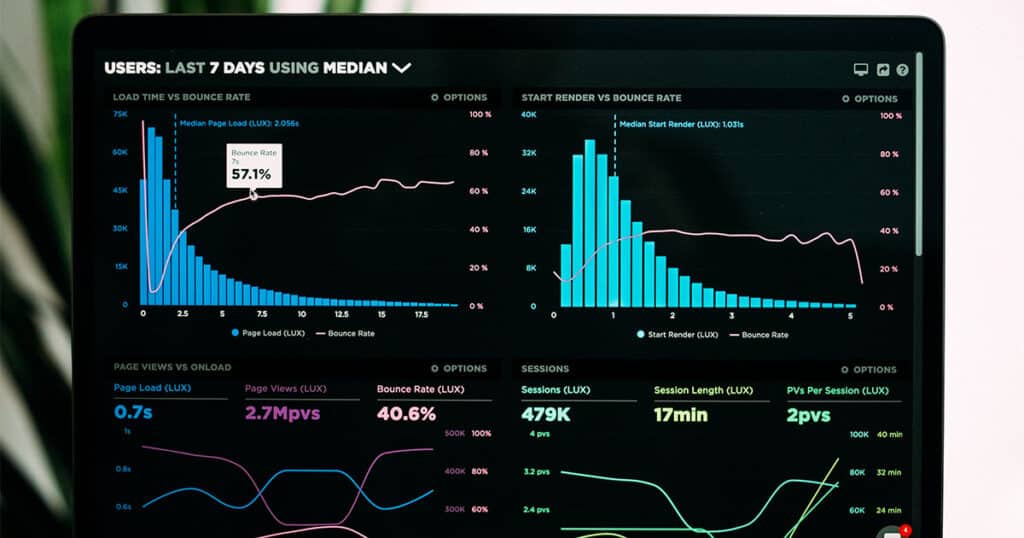
The first 4-12 weeks after a new site goes live are the most volatile for organic visibility.
“Launch and forget” is where many rebuilds fail, even ones that handled redirects and content correctly.
Monitoring Google Search Console closely post-launch is crucial for tracking crawl errors and indexing issues.
Use Google Search Console to track indexing status daily in the first week, then weekly for one to three months to catch and address mistakes early.
A simple monitoring plan:
- Week 1: Check indexed pages, 404 errors and impressions daily in Google Search Console & Google Analytics 4.
- Weeks 2-4: Perform weekly keyword ranking and user behaviour checks against your baseline data from the original site in Google Search Console and Semrush or Ahrefs.
- Months 2-3: Monitor SEO rankings and compare value of key pages to pre-launch benchmarks.
Conduct a post-launch audit within the first week to identify any immediate issues.
You can expect temporary traffic dips after a redesign, even with perfect execution.
The goal is to catch real problems fast and distinguish them from the normal re-crawling period where search engines reprocess your site.
How White Peak Digital Handles Technical SEO Migrations
White Peak Digital treats technical SEO migration as a core discipline, not an add-on.
Our Australia-based team has managed complex migrations for multi-location service businesses, large product catalogues on Shopify and WooCommerce, and content-heavy WordPress sites.
Our migration workflow:
- Audit the current site: crawl every page, log SEO equity, benchmark traffic and keyword rankings
- Identify important pages: categorise by revenue, referring domains and organic search value
- Map URLs and 301 redirects: a comprehensive spreadsheet covering every old URL and its new URL destination
- Rebuild internal linking: ensure the new site’s internal link structure preserves and improves topic clustering
- Optimise core web vitals: performance targets, image optimisation and script management
- Quality assurance testing: full quality assurance testing on a staging environment prior to launch followed by another audit post-launch.
Design, development and technical SEO run in parallel so that decisions about navigation, templates and engaging content are informed by data, not guesswork.
Frequently Asked Questions
How much organic traffic should I expect to lose after launching a new website?
Even well-managed rebuilds can see a temporary dip of 10-20% for a few weeks as Google re-crawls and re-evaluates the new website.
Search engines need time to re-crawl and reprocess a site after a redesign, so some fluctuation is normal.
Larger drops of 30-60% or more usually indicate issues such as missing 301 redirects, broken internal links or accidentally noindexed sections.
With proper URL mapping and active monitoring, most businesses return to and often exceed previous organic traffic levels within two to three months.
When is the best time to involve an SEO team in a website rebuild?
SEO should be involved before wireframes or information architecture are finalised, ideally at the project scoping stage.
Bringing SEO in late greatly limits what can be fixed without expensive rework to templates, navigation, and content layouts.
White Peak Digital typically starts with an audit of the current site and a full SEO migration plan before design concepts are locked in.
Can I safely change my URL structure during a rebuild?
Yes, URL changes can be done safely, but only with a detailed one-to-one redirect map and thorough testing on a staging environment.
Keep URLs for high-performing and important pages unchanged where possible to minimise risk.
Sitewide restructuring without clear business reasons increases the chance of losing domain authority and search rankings unnecessarily.
How do I know which pages on my current site are important for SEO?
Use Google Analytics 4 and Google Search Console to identify pages driving the most organic traffic, conversions and valuable keyword rankings.
Cross-reference with backlink analysis tools like Google Search Console or Ahrefs to find URLs with strong link equity from referring domains.
These pages should be prioritised for preservation, minimal content disruption and careful redirect planning in the new site.
Do I need a technical SEO migration if my new site is only a visual refresh?
The SEO risk is far lower if the new site truly keeps the same URLs, content and internal link paths but in practice most refreshes touch templates, navigation and the website’s underlying code.
Even design-only changes can affect Core Web Vitals, structured data and crawlability, all of which can hurt performance and rankings.
At a minimum, conduct a lightweight migration audit and post-launch check to ensure nothing critical has broken.
A smooth transition requires attention to technical details, even when the changes seem cosmetic.