Tools like Claude, Replit, Lovable and Cursor can generate full marketing sites or app dashboards in a matter of hours. But while the speed of creation is incredible, the resulting draft is rarely production-ready.
The core problem here is something we call the “Happy Path Trap”.
Happy Path Trap: When an AI prototype is built with the assumption that everything will always go smoothly (e.g., perfect inputs, fast internet, etc) and completely ignores the messy, unpredictable way real people interact with websites.
AI website builders can produce fragile or duplicated logic and founders frequently see errors like “App works in preview but breaks in production” after deploying their project.
These aren’t cosmetic issues. They’re the kind of thing that lose customers, leak data or block revenue growth.
This article covers 13 production-critical areas you must fix before sharing your AI website with customers or investors, plus the supporting checks that turn an AI prototype into a real business.
The 4 Pillars of a Launch-Ready AI Website
If you are launching an AI-generated minimum viable product (MVP), focus your pre-launch checks on these four areas:
- Security & Privacy: Securing databases so users can’t see each other’s data and ensuring your site complies with the local laws.
- Payments & Compliance: Configuring payment gateways for local taxes and ensuring automated emails comply with the spam regulations to avoid fines.
- Performance & UX: Eliminating loading errors that lose you traffic and ensuring the mobile experience is flawless.
- Code Maintainability: Cleaning up bloated code so your marketing team can make quick updates without it taking hours to complete.

Lock Down Database Security
AI generated code almost always ships with dangerously open database rules and hardcoded credentials.
The reason for this is simple: AI coding agents are all about making things work quickly, which usually means disabling security rules or writing policies that are just too permissive
You must implement robust security measures to protect against data breaches and prompt injections before going live.
The Problems
AI coding agents default to making things work quickly, which usually means bypassing security rules. The typical mess looks like this:
- Wide open databases: Tables are created without proper ownership rules, meaning anyone visiting your site can potentially read or rewrite every record.
- Cross-user leakage: One user can simply change a number in their browser’s web address and suddenly view another user’s private data or billing records.
- Exposed administrative keys: The highly sensitive master passwords used to connect your database or payment gateway are left sitting in the public-facing website code instead of being hidden in secure server vaults.
The Fixes
- Lock down every database table with strict, user-specific access rules. An account should only ever be able to see and modify its own data.
- Move all administrative keys and payment gateway secrets into secure server environments. Your public website code should never contain a password.
- Test role-based access with a fake attacker account. Try to access another user’s data by manipulating web addresses.
Leaving your database without proper access rules is the ultimate business risk. It means a single malicious user could scrape your entire customer database and leak it, destroying your brand’s reputation overnight.
It’s like building a luxury hotel but leaving a master key under every front door mat. Prioritise strict data governance and role-based access before a single real user logs in.
If you’re unsure where to start, our guide on how to improve website security covers the fundamentals for any web project.

Fix Payment Webhooks & Email Deliverability
A checkout button that links to external Stripe hosted page is not a complete payment system.
AI can easily generate a “Click to Pay” redirect, but it routinely fails at handling the logic that happens after the payment succeeds or fails.
The Problems
- Broken payment handoffs: Users pay successfully, but their account status stays on the “Free Plan” because the background logic that listens for payment success failed to update your database.
- Duplicate charges: When a payment gateway automatically retries a background connection, poorly structured AI code often creates a brand-new charge instead of recognising the existing one.
- Tax misconfiguration: AI builders default to US sales tax models, meaning your checkouts aren’t configured to collect Australian GST, creating a massive headache for your accountant.
- Spam folders & legal risks: Transactional emails go directly to spam because sender reputation records were never set up. Furthermore, marketing emails lack proper consent checks, risking severe Spam Act 2003 penalties.
The Fixes
- Build secure, verified connection handlers that confirm a payment was legitimate before upgrading a user’s account.
- Ensure your payment logic checks for duplicate events to prevent double-charging customers.
- Configure your payment gateways for Australian GST and ensure local currency formatting is correct.
- Register proper domain authentication records with your email provider. Ensure all outbound emails include clear sender identification and a working unsubscribe link to comply with the Australian standards.
Repair AI-Generated Bugs
AI page builders can produce websites that look perfect in preview but then they just completely fall apart when real users get their hands on them.
This happens when the AI gets confused between code that should run on your development server versus code that should run in the user’s web browser.
Common Causes
- Asking the server to calculate things it cannot know, such as the exact dimensions of the user’s screen or their local time zone. When the server’s guess doesn’t match the user’s actual browser, the website crashes.
- Generating duplicate interface files that confuse the website’s loading sequence.
The Fixes
- Isolate browser-specific features into their own dedicated files. Anything that relies on screen size, local time, or mouse clicks must be separated from your background server code.
- Audit the project for duplicated files and conflicting instructions proposed by different AI prompts.

Rebuild Bloated Components
Here’s a familiar story: a founder uses AI to build an internal dashboard.
Over three weeks of prompting, that development file grows to over 2,000 lines of code because the AI kept adding new features to the same component instead of creating clean abstractions.
Telltale Signs
- Massive files where the interface layout, database connections and visual styling are all mashed together in one place.
- Styling conflicts where changing the colour of a button on your homepage accidentally breaks the layout of your pricing page.
- Background code getting caught in infinite loops because the AI suggested conflicting logic, causing the user’s browser to freeze.
The Fixes
- Break large files into small, single-responsibility components. Each file should do one thing clearly (e.g., one file for the layout, one for the database connection).
- Extract repeated tasks, like checking if a user is logged in, into shared folders rather than rewriting the same logic on every page.
Cleaning up bloated code dramatically reduces future development costs. A well-structured project is cheaper to maintain, debug and extend.
Test the Unhappy Paths
AI generated flows are built for the perfect demo.
Real users will mistype emails, lose connection mid-checkout, use outdated browsers or submit forms in ways you never imagined.
Your website’s user interface must be designed to accommodate these various scenarios while also channeling these users towards your conversion pathway.
Edge Cases to Test
- Invalid inputs: special characters, emojis, or extremely long strings in form fields.
- Slow or failed background connections to your AI models. What does the user see when the AI takes 30 seconds to reply?
- Silent background failures where a form appears to submit, but the data never actually arrives in your database, leaving the user waiting and your sales team without a lead.
- Users double-clicking action buttons because there are no loading spinners, resulting in duplicate orders.
The Fixes
- Wrap critical sections of your website in digital safety nets so a single broken feature doesn’t crash the entire page.
- Ensure all forms have double-sided validation: smooth visual checks for the user and ironclad data checks on your server.
- Run a short usability session with three to five real users who have never seen the product to observe where they get confused or stuck.

Fix Broken Links & Internal Navigation
AI tools routinely leave dead menu items, placeholder pages and hardcoded URLs that break the moment routing changes.
Check every link on your site before launch. Broken links can make a brand look unprofessional and kill trust quickly, especially on pricing and sign-up pages.
Users leave if they can’t find information within three seconds. If they click your pricing link and land on a 404, they’re gone.
Pre-Launch Link Checklist
- Crawl the entire site with a link checker tool to find any broken links.
- Verify that all accessible pages load in under three seconds on 4G.
- Ensure your custom 404 page gives clear routes back to key pages like Home and Login. A 404 page helps guide users when they encounter errors rather than leaving them stranded.
- Set up 301 redirects for any older marketing URLs, particularly if WordPress, Shopify, or WooCommerce content is being migrated to a new AI generated front-end.
- Verify internal navigation menus match actual page routes, not placeholder links the AI generated during prototyping.
Broken links affect both human visitors and search engines and can have a major impact on your SEO and AI search readiness.

Verify Mobile Experience Across Real Devices
Over half of web traffic comes from mobile devices. Globally, mobile devices account for over 53% of all website traffic in 2026.
Even for B2B sites where desktop dominates day-to-day usage, a majority of buyers initiate research on their phone. If your site breaks on mobile, you’re losing visitors before they ever see your product or service.
Providing a seamless mobile and cross-device experience for users interacting with your brand is essential and test your website on different, real devices before launch is that best way to do this.
Common Mobile Issues
- Hero text cut off above the fold due to viewport height miscalculations or safe area insets.
- Buttons hidden behind the mobile keyboard on iOS Safari.
- Chat widgets or sticky navs obscuring primary CTAs.
- Touch targets too small or too close together.
Flows to Test on Real Devices
- Sign-up and sign-in (including password reset)
- Chat or AI interaction (prompt submission and response)
- Checkout or payment (if any)
- Form fills and file uploads
- Navigation menu open/close and page transitions
Test on actual iOS and Android devices and use network throttling to simulate 3G and slow internet.
White Peak Digital routinely includes mobile UX checks in their free website and AI search audit for new clients.
Clean Up AI-Generated Text & Placeholders
AI copy tends to be generic, repetitive and sometimes factually wrong about pricing, features and company details.
Neglecting brand identity can make your site feel generic and forgettable. You need to review and refine AI generated content to ensure accuracy and credibility before anyone sees it.
The Problems
- Leftover placeholder content, fake testimonials or AI generated FAQ answers that don’t match the actual product.
- Pricing or feature descriptions that describe capabilities the product doesn’t actually have.
- Generic privacy policy and terms of use templates that aren’t compliant with Australian Privacy Principles, GDPR or CCPA.
The Fixes
- Define the AI product’s purpose and the target audience clearly. This shapes every word on the site.
- Read every line of text out loud to catch typos, awkward phrasing and factual errors.
- Replace generic privacy templates with compliant, privacy policies and terms of use pages. Compliance with regulations like Australian Privacy Principles, GDPR and CCPA is essential for AI platforms.
- Maintain legal and ethical standards with clear terms of service and usage disclosures.
- Ensure CTAs match the real offer. For example, if your call to action says “Start Free Trial” but the product has no trial, that’s a trust-breaking disconnect.
Polished, accurate copy supports conversion rate optimisation as much as visuals or code quality do.

Optimise Core Web Vitals & Page Speed
AI tools tend to import heavy component libraries, animations and unused images that slow your site down.
A website should load in under five seconds to retain visitors. Check the loading speed of all pages before launch.
Typical AI-Builder Bloat
- Multiple font families and massive design libraries loaded into the background, even if you are only using one button style from them.
- Unoptimised hero images and videos that balloon the size of your web pages.
- Heavy background scripts left over from the AI’s experimentation phase that are no longer used but still force the user’s phone to download them.
How to Fix It
- Run a Google PageSpeed test to see how quickly the largest part of your page loads and how quickly a user can click a button.
- Optimise website performance by compressing images and stripping out unused background scripts and design libraries.
- Streamline the delivery of your site by only loading the specific code required for the page the user is currently viewing, rather than loading the entire application at once.
Slow pages hurt both SEO and paid acquisition performance. If your ad spend drives traffic to a page that takes seven seconds to load, you’re burning money.
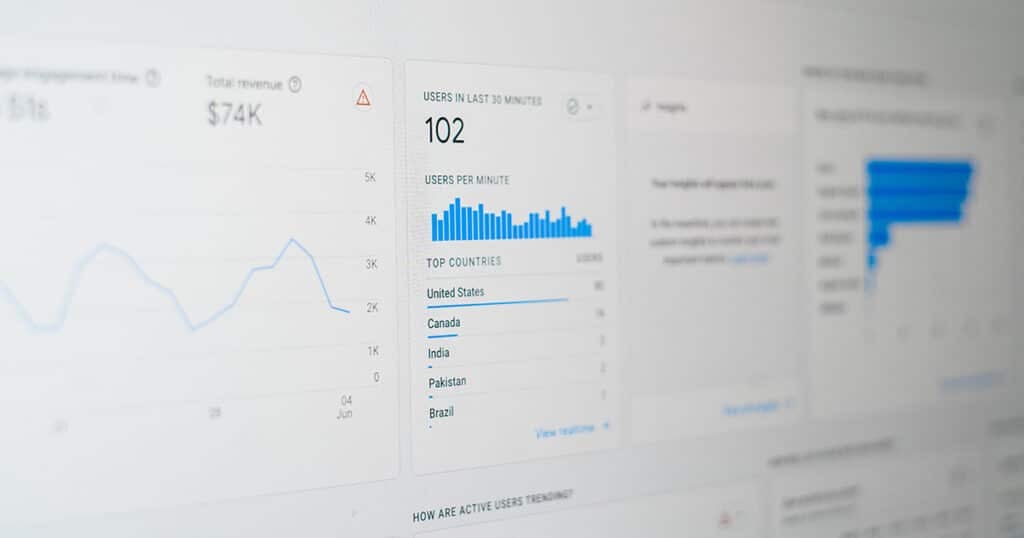
Add Analytics & Event Tracking
Many AI generated websites go live with zero analytics, leaving companies flying blind.
You cannot decide what’s working or analyse what’s failing on your website without real data.
What to Set Up Before Launch
- Install Google Analytics 4 (GA4) or an equivalent and configure basic custom events for tracking.
- Add heatmaps or session recordings with tools like Microsoft Clarity to catch UX issues that don’t show up as obvious bugs (such as visitors confused by navigation or unclear CTAs).
- Add monitoring for 404 and 500 errors so that you can spot broken links and misconfigured marketing campaigns fast.
- Implement clear mechanisms for user feedback and bug reporting with a simple “Report a problem” button or similar.
Tie core metrics back to marketing spend so the site becomes a measurable growth engine for your business, not just a static brochure.
Harden Infrastructure & Cost Controls
AI-powered features, especially LLM calls, can run up unexpected bills overnight.
A single rogue program hitting an AI model can generate thousands of dollars in surprise charges before you notice.
Common Launch-Day Surprises
- Making a live update to your database structure that accidentally wipes out actual user data because safe testing environments were never set up.
- Deployments failing instantly because the live server is missing the configuration settings that the AI builder used in its isolated sandbox.
The Fixes
- Establish strict testing environments. Never run structural updates directly against your live customer database.
- Implement rate limiting to put caps on automated tasks. If an AI feature gets stuck in a loop, it will cut off before racking up a massive bill.
- Develop a rollback plan for failed updates to ensure service continuity. Automated backups and health checks are non-negotiable for revenue-critical tools.
Implement Technical SEO Foundations
Even the most impressive AI MVP will underperform if Google and AI search systems can’t crawl or understand it. Ignoring SEO basics can prevent your site from being found.
SEO helps users find your website in search results and robust SEO practices are necessary for AI-focused websites to ensure discoverability.
Technical SEO Checklist
| Recommended Task | Why It Matters |
|---|---|
| Unique meta titles and descriptions per page | Improve search visibility and click-through rates |
| Clean permalink structures | Helps search engines and users understand your site hierarchy |
| Descriptive headings (not vague “Welcome” labels) | Provide context for crawlers and screen readers |
| Creating an XML sitemap | Helps search engines index your site efficiently |
| Add proper canonical tags | Avoid duplicate content issues common in AI generated sites |
| Images have alt text and descriptions | Improves accessibility and image search visibility |
| OpenGraph tags for social sharing | Prevents blank preview boxes when shared on social media |
Broken links and missing OpenGraph tags hurt both SEO and click-through rates.
You’re at risk of losing clicks if someone shares your website online and it renders a blank box with no title, description or preview image.
White Peak Digital’s technical SEO and migration services cover exactly this kind of launch-readiness work for online businesses every day.
Complete a Pre-Launch AI Website Audit
A structured audit bridges the gap between “it works on my machine” and “it’s safe for real users and search engines”.
Without one, you’re gambling that nothing was missed.
A Simple Audit Flow
- Evidence snapshot: Take screenshots, export HTML, record current page speed scores.
- Priority queue: Rank issues by severity. Security and payment bugs come first. Cosmetic issues come last.
- Proof loop: After fixing each issue, re-scan to confirm it’s actually resolved.
Use automated tools for broken links, Core Web Vitals and accessibility and run a manual review for UX flows, brand consistency and legal content.
No tool can tell you that your pricing page describes features you haven’t built yet.

When to Bring in a Specialist AI MVP Agency
At some point, many founders get stuck.
They’ve pushed their AI-generated app as far as they can but now they face database security flaws, loading errors and bloated code and have no idea how to fix them.
What a Specialist Agency Does
A team like White Peak Digital provides AI MVP codebase cleanup, vibe code refactoring and AI website audits.
The goal is to keep what works, harden what’s fragile and only rebuild where necessary.
In most cases, an experienced team can refactor and secure your existing codebase rather than forcing an expensive ground-up rebuild.
Typical Engagement Types
- One-off audit and fix sprint before a public launch or investor demo.
- Ongoing website maintenance and CRO to continuously improve performance.
- Full redesign plus refactor onto a stable stack when the AI-generated foundation is beyond repair.
Investing in a final polish is almost always far cheaper than dealing with security incidents, broken payment flows or lost credibility later.
Ready to Cross the Finish Line?
Getting a prototype up in a weekend is one thing but launching a business requires real development precision.
At White Peak Digital, our team specialises in taking AI-built websites and apps across the finish line.
We audit your codebase, lock down database security, eliminate technical bloat and deploy your product on scalable infrastructure.
Frequently Asked Questions
How do I know if my AI website is ready for real users?
Ready means more than loading without errors. Payments, logins and core features must work across devices, browsers and locations.
We suggest running at least one external audit, either manual or agency-led, before a public launch or major marketing campaign.
Can I fix a messy AI-generated codebase without starting from scratch?
In most cases, yes. An experienced team can refactor, modularise and secure an AI MVP rather than rebuilding the entire site.
A rebuild only becomes necessary when there’s no clear separation between front-end and back-end, secrets are hardcoded everywhere or the framework is fundamentally misused.
What are the biggest launch-day risks for AI websites?
The top risks are data leaks from misconfigured database security, broken payment or subscription logic, mobile users hitting unusable layouts and downtime from fragile deployments.
Less obvious risks include runaway API costs from unthrottled endpoints and AI generated copy that misrepresents pricing or capabilities.
Do I really need SEO if most of my traffic will come from ads or social?
Yes. SEO is critical for trust, branded search queries and AI search visibility, even if your initial traffic is paid or community-driven.
Clean technical SEO (fast pages, working links, proper metadata) also supports paid ad performance and on-site conversions.
Even a basic setup of unique meta titles, sitemap and canonical tags gives you a foundation that compounds over time.
How can White Peak Digital help with my AI website launch?
White Peak Digital provides AI website audits, AI MVP codebase cleanup, conversion-focused web design and ongoing website maintenance.
To get started, request a free website and AI search audit or contact us for a free quote for your current build.